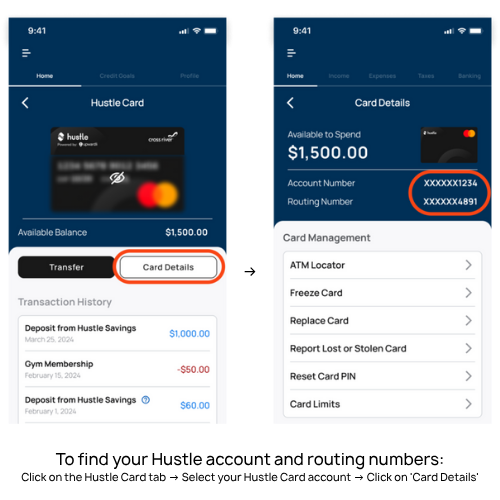
Track your all of your gig pay in one place by setting up direct deposit for your Hustle Card within each gig app.
*Account and Routing numbers found in your Hustle Card details in the Solo app

DoorDash (Dasher)
- Go to Earnings tab and select Change payout methods
- Click Edit under 'Weekly pay to your bank account' OR scroll down and click Change Payout Method
- Enter your Hustle account information*
- Tap Submit Bank Details
- Select Change Payout Method to your Hustle account (Cross River Bank)
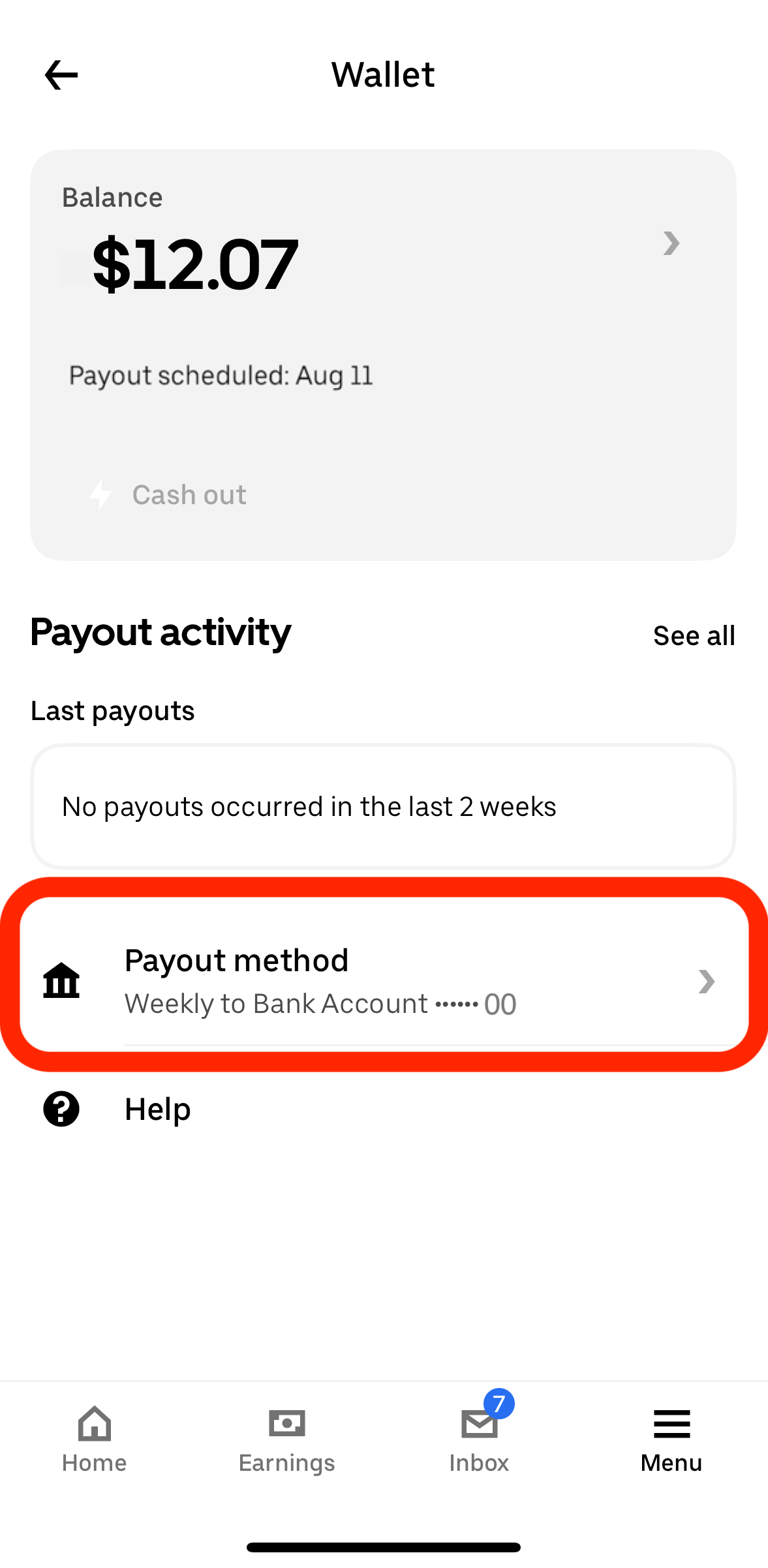
Uber Driver
- Tap the menu icon (≡) in the bottom right
- Select 'Wallet' and choose 'Bank Account'
- Enter your Hustle account information*
- Confirm the details and save
- Confirm the 'Payout' section shows Cross River Bank and the last 4 of your Hustle account
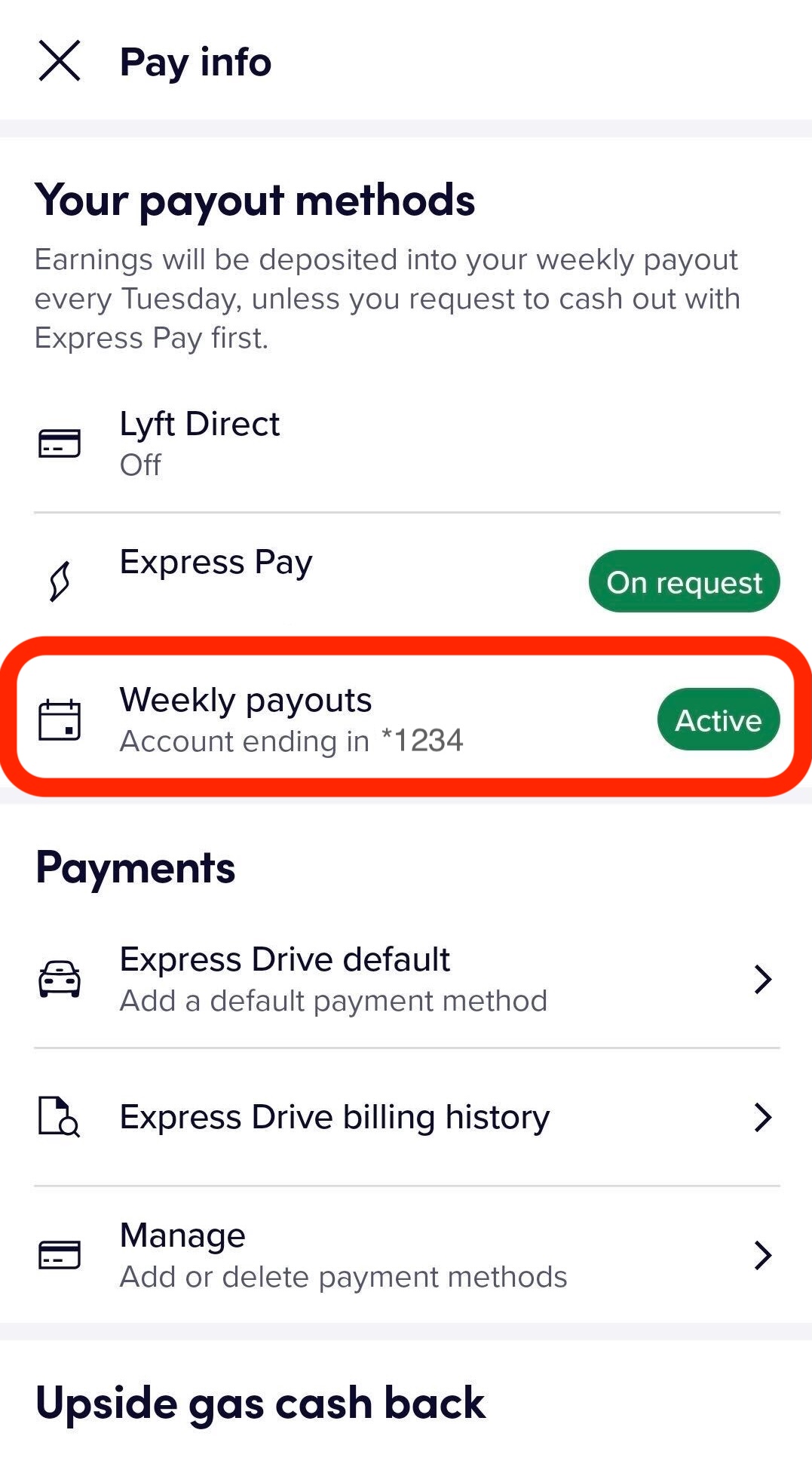
Lyft Driver
- From the main menu, tap 'Account'
- Tap 'Pay and Tax Info'
- Tap 'Set up weekly payouts' and enter your Hustle account information*
- Tap 'Save'
- Update your Weekly Payouts to 'Active'

Instacart (Shopper)
- Tap the menu icon (≡)
- Go to 'Earnings' and tap 'Payment Info'
- Choose 'Add Bank Account'
- Enter your Hustle account information*
- Confirm and save
Grubhub Drivers
- Go to 'Account' > 'Personal Info' > 'Payment Information'
- Select Edit next to 'Bank Account'
- Enter your password
- Enter your Hustle account information*
- Tap Update bank information